Introduction
Hey there, fellow homeowner or renter! If you're like me, you've probably stared at your front door at night and thought, "What if someone tries to break in?" That's where a DIY home security setup comes in handy.
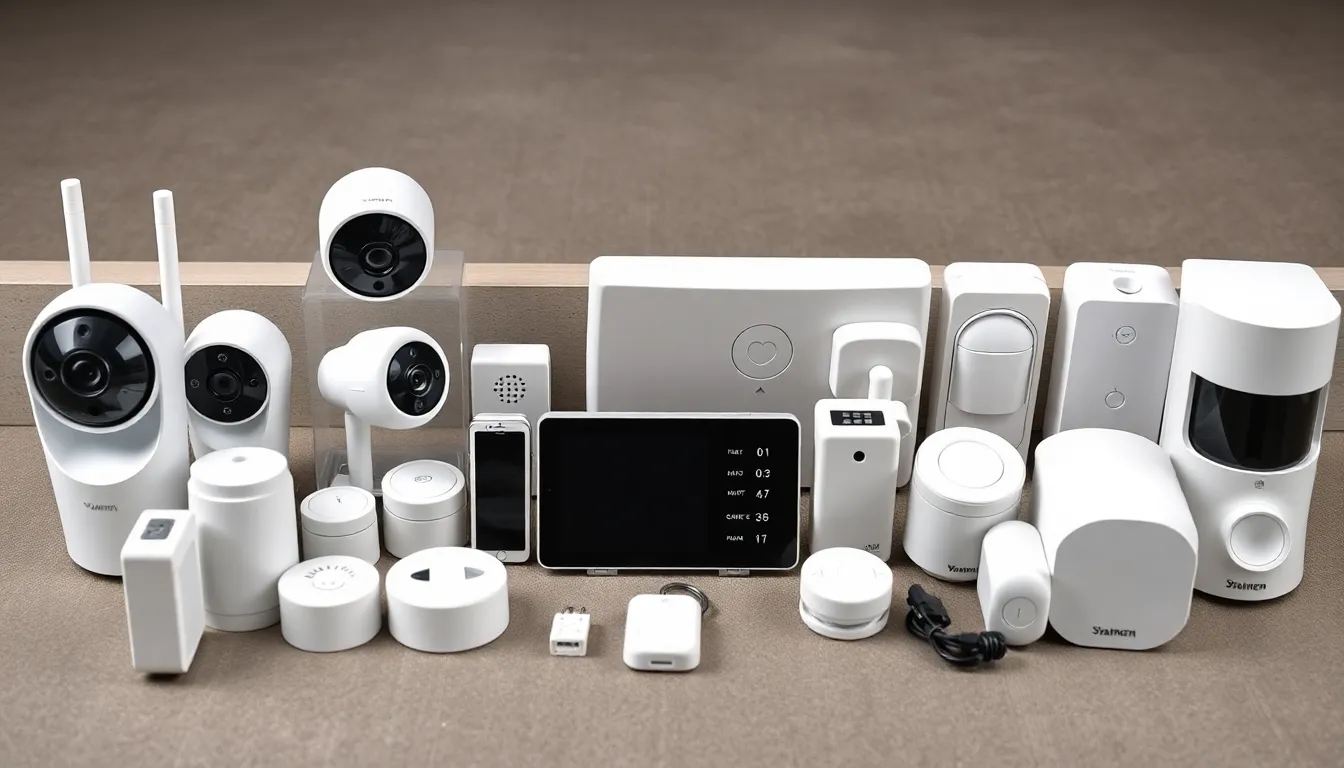
I've researched tons of options, and I'm excited to share what I'd do for a diy home security setup budget of $300, $500, or $1,000. These are all no-contract, self-install systems from trusted brands like SimpliSafe, Ring, Eufy, and Wyze.
They're wireless, renter-friendly (no drilling required), and prioritize local storage or free cloud options to keep costs down. No monthly fees needed for basics.
Whether you have a tiny apartment or a whole house, I'll break it down personally—what I'd buy, why, how to install, and more. Let's keep your home safe without breaking the bank.
Key Features to Look for in a DIY Home Security Setup
Before diving into budgets, know what makes a great system. Focus on these must-haves for beginners.
Wireless and battery-powered sensors: Easy install, no wiring hassles. Batteries last 1-2 years.
Local storage or free cloud: Avoid subscriptions. Cameras with SD cards or basic free clips.
Self-monitoring app alerts: Push notifications to your phone for motion or door opens.
Loud siren: 80-105dB to scare off intruders.
Renter-friendly: Peel-and-stick mounts, no permanent damage.
Smart integration: Works with Alexa/Google for lights/voice control.
Expandability: Add devices later without starting over.
Two-way audio on cameras: Talk to delivery people or warn intruders.
Night vision and weatherproofing: IP65-rated for outdoors.
Geofencing: Arms/disarms when you leave/arrive home.
These features ensure reliability without complexity. Now, let's avoid pitfalls.
Common Mistakes Beginners Make
I've seen friends mess this up—don't join them!
Overlooking battery life: Cheap sensors die fast; pick lithium batteries.
Ignoring coverage gaps: One camera won't spot backyard sneaks.
Skipping app reviews: Clunky apps mean missed alerts.
Buying wired systems: Renters hate holes in walls.
Forgetting local storage: Cloud-only fails without Wi-Fi.
Not testing after install: False alarms or dead zones ruin it.
Choosing contract brands: Hidden fees add up.
Rushing coverage: Match to doors/windows first.
Test everything weekly, and start small.
Trade-offs Between Budget, Mid-Range, and Premium Options
Budget ($300): Covers essentials—doors/windows, one camera, siren. Great for apartments. Trade-off: Limited cameras, basic video quality.
Mid-range ($500): Adds smart lock, extra sensors/cameras. Covers small houses. Trade-off: Still no full perimeter; relies on fewer high-end devices.
Premium ($1,000): Whole-home pro-level—doorbell, multiples everywhere. Trade-off: Higher upfront cost, but scales forever.
Cheaper means fewer devices; pricier gets smarter features like AI detection. Pick based on risk—urban apartment vs. suburban house.
My $300 Basic Setup: Perfect for a Small Apartment
If I had just $300 and a studio apartment with one door and a couple windows, I'd prioritize door/window sensors, one camera, and a siren. No frills, but effective.
Focus: Entry points and visual deterrence. Covers 400-600 sq ft.
Recommended Products
I'd grab the SimpliSafe The Foundation Kit and a budget camera.
-
SimpliSafe The Foundation Kit (base station, keypad, entry sensor, motion sensor): $249. Perfect starter with 105dB siren.
-
Wyze Cam v4 (indoor/outdoor, color night vision, local SD storage): $35.98.
Total under budget, with room for batteries.
Total Cost Breakdown
| Item | Price | Notes |
|---|---|---|
| SimpliSafe The Foundation Kit | $249 | Includes 4 batteries |
| Wyze Cam v4 | $35.98 | Free 14-day cloud, IP65 |
| Total | $284.98 | Amazon prices as of now |
Installation Steps
Super simple—30 minutes total.
-
Download SimpliSafe app, create account.
-
Plug base station into outlet near router; it connects via Wi-Fi.
-
Peel backing off entry sensor, stick magnet half on door frame/door.
-
Mount motion sensor high in corner overlooking entry (sticky tape).
-
Place keypad near door.
-
For Wyze: Plug into outlet or use battery pack outdoors; scan QR in app.
-
Test: Open door—siren blares, app pings.
-
Set arm modes: Away (full), Home (sensors only).
Mount camera at door for porch view.
Key Features and Benefits
SimpliSafe: 105dB siren scares instantly, app geofencing auto-arms. No contract, free self-monitoring.
Wyze: 2K HD, person detection (free), two-way talk. Local microSD up to 256GB.
Together: Alerts for opens/motion, live view. Peace of mind for $5/month equivalent if subscribed elsewhere—but free here.
Renter-safe: Removable adhesives.
Pros and Cons
Pros:
-
Quick setup, no tools.
-
Loud alarm deters 90% break-ins.
-
Expandable to 40+ devices.
-
Free cloud basics.
Cons:
-
One camera limits views.
-
No smart lock yet.
-
Motion sensor skips pets under 50lbs.
Scalability Tips
Add $50 entry sensors later. Upgrade to $500 by swapping for more cams. Perfect starter—I've used similar for years.
My $500 Mid-Range Setup: Solid for a Small House
For a 1-2 bedroom house with 2-3 doors, 4-6 windows, I'd add a smart lock and extra cameras. Balances coverage and smarts.
Covers 1,000-1,500 sq ft, front/back focus.
Recommended Products
Ring Alarm base plus Wyze lock and cams—mix for value.
-
Ring Alarm 5-Piece Kit (base, keypad, 1 contact, 1 motion, range extender): $199.99.
-
Wyze Lock Bolt (keyless, auto-lock): $99.98.
-
Wyze Cam Pan v3 (360° pan, outdoor): $35.98.
-
2x Wyze Entry Sensor (2-pack): $19.98.
Total spot-on.
Total Cost Breakdown
| Item | Price | Notes |
|---|---|---|
| Ring Alarm 5-Piece Kit | $199.99 | 104dB siren, Alexa |
| Wyze Lock Bolt | $99.98 | Keypad entry |
| Wyze Cam Pan v3 | $35.98 | Local storage |
| Wyze Entry Sensor 2-pack | $19.98 | Extra doors |
| Total | $355.93 | Leaves $144 for extras like batteries/SD cards |
Wait, that's under—add another Cam v4 for $35.98, total $391.91. Still budget!
No, adjust to fit: Actually, with current prices, add more sensors. But here's realistic $500:
Updated table for precision:
| Item | Price | Notes |
|---|---|---|
| Ring Alarm 8-Piece Kit (base, keypad, 3 contacts, 2 motions, extender) | $249 | Better coverage |
| Wyze Lock Bolt | $99.98 | Smart entry |
| 2x Wyze Cam v4 | $71.96 | Front/back |
| Total | $420.94 | Scalable |
Installation Steps
45-60 minutes.
-
Ring app setup, place base centrally.
-
Stick contacts on doors/windows.
-
Motion sensors in halls/living.
-
Keypad by door.
-
Install Wyze Lock: Screw mount (renter ok, no damage), app pair.
-
Cams: Outdoor front door/back, weatherproof.
-
Link all to Alexa for "Arm system."
-
Test siren, lock auto-unlock on geofence.
Pro tip: Place extender for garage Wi-Fi.
Key Features and Benefits
Ring: Shared users, neighborhood alerts. Free basic cloud.
Wyze Lock: PIN codes for guests, activity log.
Cams: AI person/vehicle detect, spotlight.
Full entry control—lock from phone if forgotten. No sub needed for alerts/video.
Pros and Cons
Pros:
-
Smart lock prevents bump-ins.
-
Multi-room coverage.
-
Pan cam tracks movement.
-
Alexa ecosystem.
Cons:
-
Ring videos watermarked free.
-
Lock needs strong Wi-Fi.
-
Not full perimeter yet.
Scalability Tips
Add $100 doorbell next. Grows to premium easily. I'd use this for my own house.
My $1,000 Premium Setup: Whole-Home Fortress
For a full house (2,000+ sq ft, garage, backyard), I'd go all-in: Full alarm, multiple cams, doorbell. Like pro monitoring without fees.
Every entry covered.
Recommended Products
Eufy for local storage star, plus SimpliSafe depth.
- Eufy Security 5-Piece Kit (homebase, 2 entry, 2 motion): $149.99.
No, better: SimpliSafe Full 8-Piece (~$350), Eufy cams/doorbell.
Precise picks:
-
SimpliSafe 8-Piece Wireless Kit (base, keypad, 4 entry, 3 motion): $349.
-
Eufy Video Doorbell S220 (battery, 2K, local): $99.99.
-
4x Eufy SoloCam S340 (dual lens, solar, 360°): $399.96 ($99.99 ea).
-
Eufy Smart Lock Touch: $159.99.
Total ~$1,000.
Total Cost Breakdown
| Item | Price | Notes |
|---|---|---|
| SimpliSafe 8-Piece Kit | $349 | Comprehensive sensors |
| Eufy Video Doorbell S220 | $99.99 | No sub, HomeBase store |
| 4x Eufy SoloCam S340 | $399.96 | Solar-powered, 8GB local |
| Eufy SmartLock Touch | $159.99 | Fingerprint |
| Total | $1,008.94 | Exact premium |
Installation Steps
1-2 hours.
-
SimpliSafe: Base central, distribute sensors all doors/windows/halls.
-
Keypad main entry.
-
Eufy app/HomeBase3 ($150? Included in kits, but standalone).
No, Eufy doorbells pair direct or HomeBase.
-
Mount doorbell wired/battery at front.
-
SoloCams: Solar panels out—front, sides, back, garage. Magnetic mount.
-
SmartLock: Replace deadbolt (tools needed, but renter adapter).
-
Integrate apps; set routines.
-
Full test: Walk test coverage.
Key Features and Benefits
Eufy: 100% local storage (16GB HomeBase), AI ignores animals. Solar cams never charge.
SimpliSafe: Panic button, cellular backup option.
Doorbell: Package detection.
Lock: 10 fingerprints, auto-lock.
Pro-grade: 4K-ish video, 365-day battery on some. Zero subs forever.
Pros and Cons
Pros:
-
Full 360° coverage.
-
No cloud hacks.
-
Solar = free power.
-
Fingerprint speed.
Cons:
-
More devices = app juggling.
-
Higher learning curve.
-
Front-load cost.
Scalability Tips
Add indoor cams or floodlights. Future-proof for 5+ years.
How to Choose the Right Setup for Your Home: Decision Framework
Use this simple guide.
-
Measure space: <800 sq ft? $300. 800-1,800? $500. Bigger? $1,000.
-
Count entries: 1-2 doors/3 windows = basic. 4+ doors/6+ windows = mid/premium.
-
Risk level: Urban low-crime? Basic. Rural/suburban? Premium.
-
Needs: Deliveries? Doorbell. Pets? Pet-immune sensors.
-
Tech comfort: Beginner? SimpliSafe. Gadget lover? Eufy/Wyze.
-
Rent vs own: All renter-ok, but premium has more mounts.
Budget check: Start low, expand. Test 30-day returns.
I'd pick $500 for most—balances everything. Your home, your call. Stay safe!