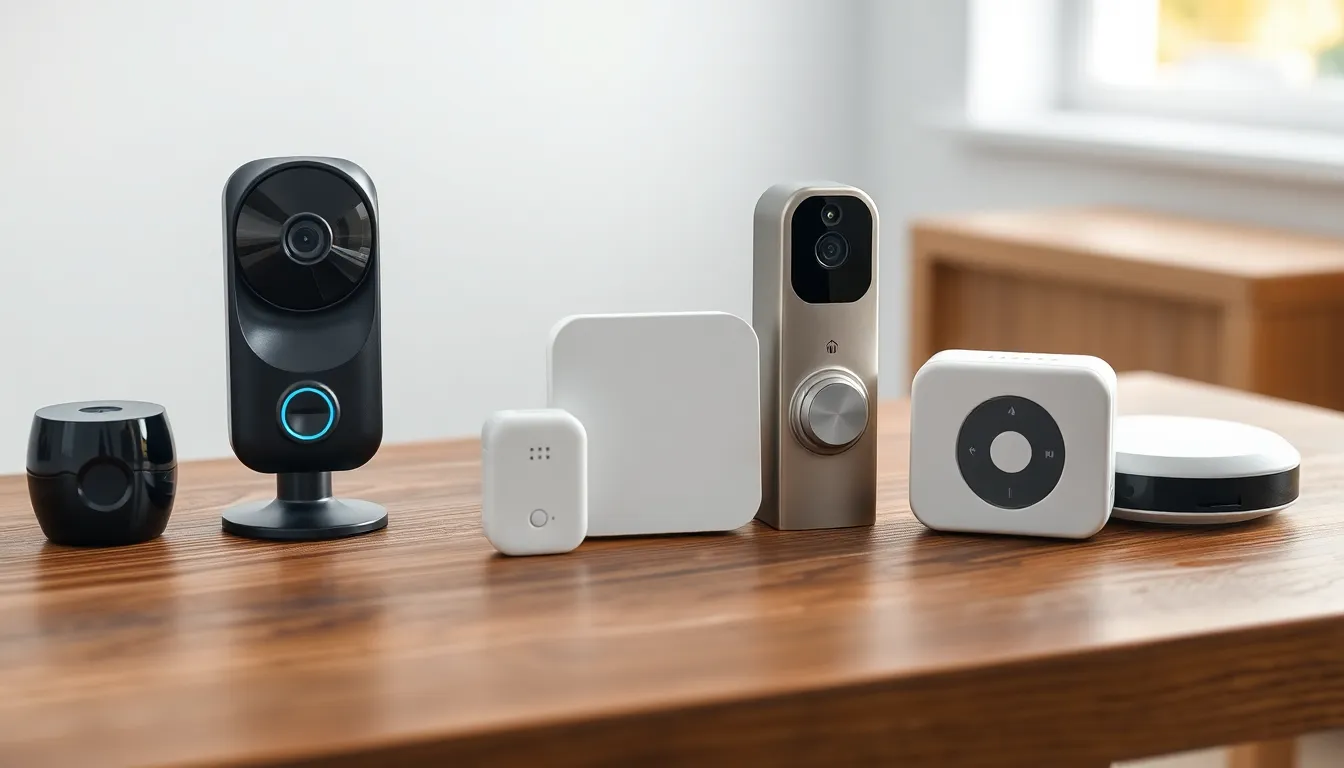
Introduction to Smart Home Security for Beginners
Welcome to the world of smart home security for beginners! If you're dipping your toes into home automation for the first time, it can feel overwhelming.
There are cameras everywhere, fancy locks, and alarms that promise the moon. But here's the good news: you don't need it all.
This guide cuts through the noise. We'll focus on what you actually need for effective protection without breaking the bank or your sanity.
Think basic door and window sensors, a simple camera or doorbell, and an entry-level hub or app. That's it for starters.
We'll cover setups under $300, DIY installs in under an hour, renter-friendly picks, and no-subscription apps. Plus, tips on compatibility and pitfalls to dodge.
By the end, you'll have the confidence to build a minimal, effective system tailored to your home.
Key Features to Look For in Smart Home Security Gear
Before buying anything, know the must-have features. These ensure reliability and ease for beginners.
First, battery-powered options. They avoid wiring hassles, perfect for renters or quick setups.
Look for long battery life—six months or more—to minimize swaps.
Next, strong encryption and two-factor authentication in apps. Security gear needs to protect your data too.
Geofencing is a game-changer. It arms/disarms based on your phone's location—no forgetting.
Motion detection with customizable zones prevents false alerts from pets or wind.
Weatherproofing (IP65 rating or higher) for outdoor gear. Rain shouldn't kill your camera.
App simplicity matters. Free apps with no mandatory subscriptions let you view feeds and get alerts instantly.
Two-way audio on doorbells or cameras for talking to visitors.
Finally, broad compatibility. Devices working with Alexa, Google Home, or Apple HomeKit expand options later.
Prioritize these, and your setup stays simple and future-proof.
Essential Components: What You Actually Need
Starters need just three pillars: sensors for entry points, a visual deterrent like a camera or doorbell, and a central hub or app to tie it together.
This combo covers 90% of home intrusions, which happen at doors and windows.
No need for whole-house coverage yet.
Door and Window Sensors
These are your foundation. Simple magnetic contacts alert when a door or window opens.
Place them on every exterior entry: front/back doors, garage, ground-floor windows.
They're tiny, stick-on, and send instant app notifications.
Battery lasts a year typically. Some chirp on-site too.
Cost? Under $20 each. Start with 4-6 for basics.
Video Doorbells or Cameras
Visual confirmation is key. A video doorbell lets you see who's knocking, even remotely.
Battery models install in minutes—no drilling.
Look for 1080p HD, night vision, and motion alerts.
Outdoor cameras cover yards or garages. Stick one over the back door.
Two-way talk scares off porch pirates.
Skip wired if renting; batteries rule.
Entry-Level Alarm Hubs and Apps
No pricey base station needed. Many sensors pair directly to a free app.
Or grab a cheap hub ($30-50) that connects everything via Wi-Fi or Zigbee.
Apps arm the system, log events, and share clips.
Sirens? Entry-level ones blare 85dB if triggered—loud enough.
This minimal hub handles 20+ sensors easily.
What to Skip When Just Starting Out
Less is more for beginners. Avoid these temptations.
Expensive multi-room systems. They overkill small homes and cost $500+.
Pro monitoring subscriptions ($15-50/month). Self-monitor via app—it's free and empowering.
Fancy facial recognition cameras. Basic motion works fine; AI adds complexity.
Whole-home flood sensors or glass breaks. Entry points first.
Smart lights or shades tied to security. Nice later, not now.
High-end biometric locks. Keypad or app locks suffice.
Skipping these keeps costs low and setup simple.
Building a Budget Setup Under $300
Yes, comprehensive protection for under $300.
Sample build:
-
6 door/window sensors: $100
-
Battery video doorbell: $100
-
Basic hub/app combo: $50
-
Extra outdoor camera: $40 (optional)
Total: $290.
Shop sales on sites like Amazon for deals.
Battery-powered everything—no electrician fees.
Apps like those from major ecosystems (no names) offer free tiers.
This detects opens, shows faces, and alerts you instantly.
Scale up later as confidence grows.
DIY Setup in Under an Hour
Smart home security for beginners shines with easy installs.
Tools needed: screwdriver, double-sided tape (included usually).
Step 1: Download the app, create account (5 mins).
Step 2: Stick sensors on frames. Align magnets (10 mins each).
Step 3: Mount doorbell/camera at 4-5ft height. Charge battery first (15 mins).
Step 4: Pair via app's Bluetooth/Wi-Fi scan (10 mins).
Step 5: Test motions, zones, geofencing (15 mins).
Done! Peel-and-stick for renters.
Watch YouTube generics for visuals.
Common: Wi-Fi strength. Use 2.4GHz band.
Total time: 45-60 minutes solo.
Renter-Friendly Smart Home Security Options
No damage, no hassle.
Prioritize adhesive mounts over screws.
Battery over wired—avoids landlord issues.
Wireless protocols like Z-Wave or Zigbee hop signals without hubs sometimes.
Garage doors? Magnetic sensors mimic stock ones.
Removable: 3M tape lifts clean.
Test removal first on inconspicuous spots.
Many systems disassemble tool-free.
Landlords approve since it boosts safety without mods.
App Integration Without Subscriptions or Contracts
Freedom rules. Choose no-sub apps.
Free features: live view, motion clips (stored 7-30 days locally/cloud-free), unlimited sensors.
Alerts via push, email, SMS—no fees.
Zones silence neighbor cars or squirrels.
Sharing: Invite family without accounts.
Updates keep it secure—no paywalls.
Contracts? Never. Own your data.
Storage full? Download clips to phone.
This empowers beginners without vendor lock-in.
Compatibility Across Brands and Ecosystems
Don't get stuck in silos.
Look for Matter or Thread standards—universal soon.
Today, Zigbee/Z-Wave bridges brands.
Alexa/Google hubs integrate most.
Apple HomeKit for iOS fans.
Mix: Sensor brand A with camera brand B via shared hub.
Apps often cross-pollinate.
Start neutral: Wi-Fi direct to phone app.
Future-proof your picks.
Trade-Offs: Budget, Mid-Range, and Premium Options
Know the differences to choose wisely.
Budget ($50-150/item): Battery, 1080p, basic app. Great starters. Trade-off: shorter battery (6mo), fewer zones.
Mid-range ($150-300): 2K video, year+ battery, AI motion (person detection). Better night vision. Trade-off: slight learning curve.
Premium ($300+): 4K, solar charging, pro sirens. Trade-off: overkill for beginners, subscriptions tempting.
Budget wins for 80% needs. Upgrade pieces later—no full overhaul.
Battery vs solar: Solar free but needs sun.
Wired vs wireless: Wired reliable, wireless flexible.
Self vs pro monitor: Self free, pro reliable but costly.
Balance based on home size/risks.
Real-World Examples from Key Categories
Let's apply to life.
Smart locks: App-unlock from work. Budget keypad version. Pitfall: Forgetting codes—use PINs.
Video doorbells: Delivery guy rings, you buzz gate open. Night vision catches porch lurkers.
Alarms: Sensor trips, siren wails, neighbor checks app share. Geofence auto-arms on leave.
Cameras: Backyard view stops package thieves. Two-way: "Leave it or police!"
Sensors: Window opens at 2AM—light/siren combo deters.
These basics stopped my friend's attempted break-in—alert came instantly.
Common Mistakes Beginners Make
Avoid these traps.
-
Buying without Wi-Fi check. Weak signal kills reliability—use extenders.
-
Overloading with devices day one. Start small, add weekly.
-
Ignoring privacy. Cover lenses when home; strong passwords.
-
Skipping tests. Walk-test motions; simulate breaks.
-
Chasing features. Resolution >4K unnecessary indoors.
-
Wired installs sans skills. Stick battery.
-
No backup power. UPS for hubs during outages.
-
Forgetting zones. Alert floods from trees.
Learn these, save headaches.
Decision Framework: Choose Your Perfect Starter Setup
Ready to buy? Use this step-by-step.
-
Assess home: Count doors/windows (4-8? Budget hub). Yard? Add camera.
-
Budget: Under $300? 4 sensors + doorbell.
-
Renter? All battery/adhesive.
-
Ecosystem: Phone dictates (iOS=HomeKit).
-
Risks: Front-heavy? Doorbell first.
-
Features checklist:
| Feature | Must-Have | Nice-to-Have |
|---|---|---|
| Battery Life | 6+ months | 1+ year |
| Resolution | 1080p | 2K |
| App Alerts | Push/Email | SMS |
| Encryption | Yes | 2FA |
| Weatherproof | IP65 outdoor | Solar |
-
Shop: Read reviews for battery reports.
-
Install/test same day.
-
Monitor week 1, tweak zones.
This framework builds confidence. Start minimal, expand happily.
Your smart home security for beginners journey ends in peace of mind—not regret.
Questions? Local stores demo gear.
Secure your castle simply!